> ## Documentation Index
> Fetch the complete documentation index at: https://docs.getunblocked.com/llms.txt
> Use this file to discover all available pages before exploring further.
# Risk Assessment
> Configure risk policies for Unblocked Code Review
Code Review Risk Assessment adds a risk signal to Unblocked's automated pull request reviews.
You define the kinds of changes your team considers risky, and Unblocked scores each PR against those policies.
Teams can use that score to approve routine changes faster while keeping human reviewers focused on work that needs closer judgment.
## How it works
Every time Unblocked runs a code review on a pull request, it also runs a risk assessment.
Unblocked reads the risk policy file that you define from your repository and checks the PR changes against each policy.
It then adds a report with a risk score — `lowest`, `low`, `medium`, `high`, or `highest` — and an explanation for the score.
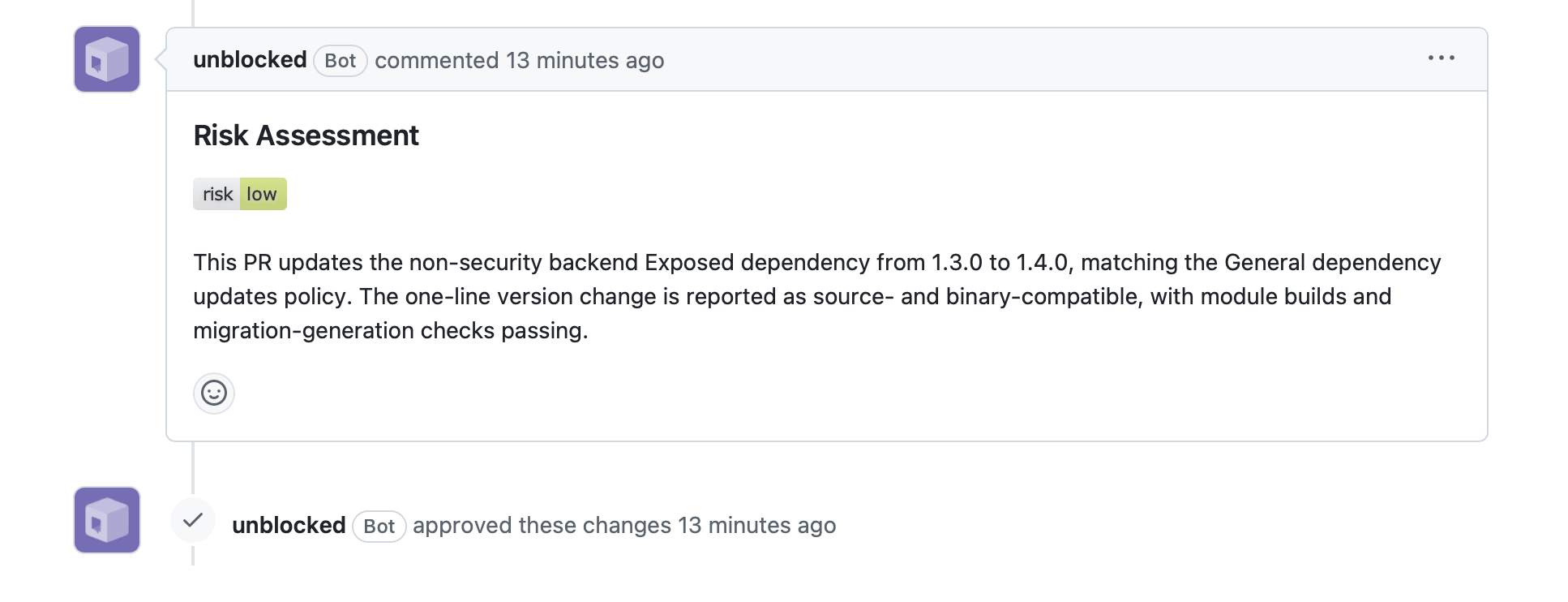
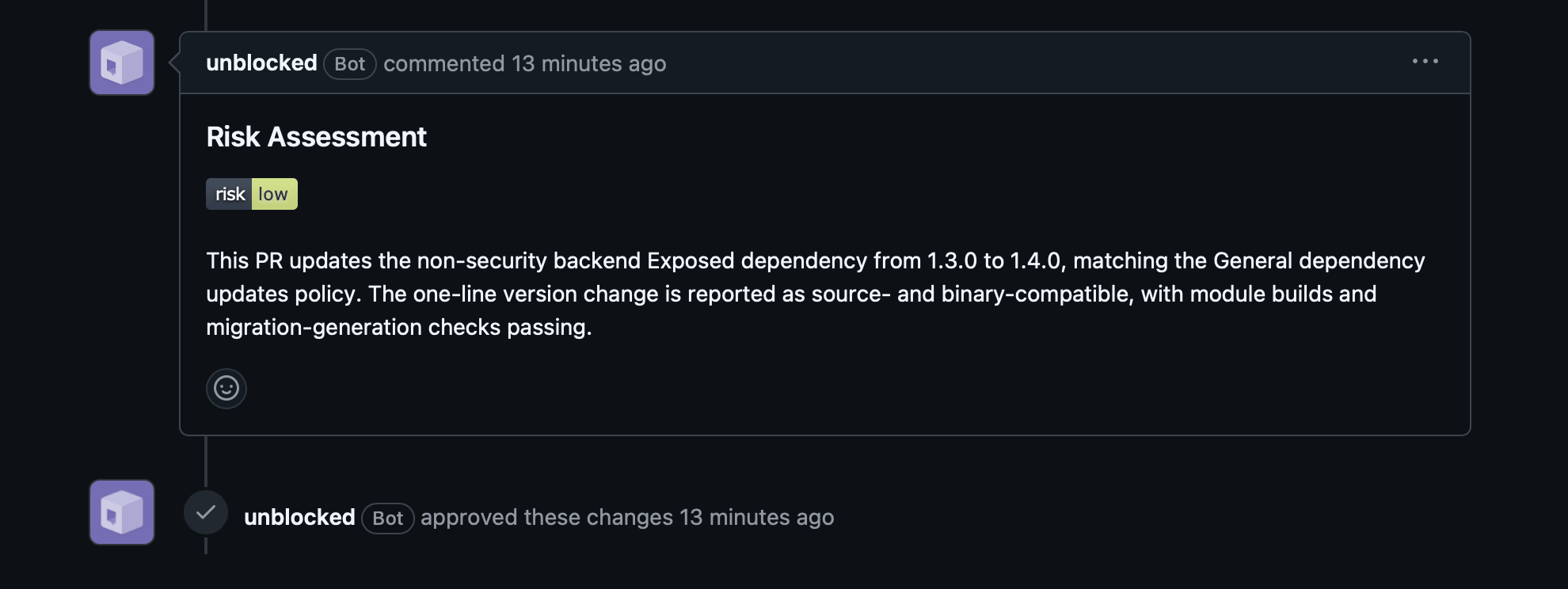 With **Auto-approve low risk Pull Requests** enabled in [Code Review settings](/code-review/setup-and-configuration#approval-workflow), Unblocked approves the pull request if the risk score is `low` or `lowest` and the code review finds no issues.
Otherwise, Unblocked just posts the report so reviewers can see what needs attention.
When Unblocked re-reviews a PR, it reruns the risk assessment on the entire PR and updates the existing risk assessment comment with the new result.
Unblocked uses the policy from the default branch, not policy changes proposed by PRs.
This keeps the risk score tied to the rules your team has already accepted.
## Risk labels
On GitHub and GitHub Enterprise, Unblocked also adds a label to each PR that reflects its current risk score:
`risk: lowest`, `risk: low`, `risk: medium`, `risk: high`, or `risk: highest`.
Labeling is best effort — the matching label must already exist in the repository for Unblocked to apply it.
## Setup
Risk assessment is enabled per repository. To turn it on for a repository, add a policy file that describes which kinds of changes your team considers risky.
For the best results, review and tune the file before committing, whether you write it yourself or ask Unblocked for a draft.
Create `.unblocked/risk-policies.yaml` in the root of your Git repository, using the [guidance and examples](#writing-effective-policies) and [policy file schema](#policy-file-schema) below.
If you are unsure which risks to include, ask Unblocked to draft a new policy or improve an existing one:
```text theme={null}
Draft or improve the risk assessment policy for acme/payments-service
```
Unblocked uses the repository and relevant connected context, such as past incidents, team discussions, and [shared memories](/unblocked-chat/shared-memories), to return a YAML draft that follows the required schema.
Review every policy and risk level. An Unblocked-generated policy is a starting point based on the context available to it, so ask Unblocked for changes or edit the YAML until it matches how your team thinks about risk.
If Unblocked generated the policy, copy the YAML into `.unblocked/risk-policies.yaml`. Commit and push the file to the default branch.
Continue refining the policy as your team uses it. If an assessment does not reflect your expectations, update the policy directly or ask Unblocked to improve it.
### Writing effective policies
Unblocked can reason about common software risks from the change itself. Use policies to provide context it cannot infer, such as critical components, irreversible workflows, coordination requirements, or risks learned from past incidents.
Broad policies can match routine work and produce consistently conservative scores. Add them only when they reflect an intentional team standard. For example:
* **Too broad:** `Database schema changes are high risk.`
* **More useful:** `Changes to the ledger_entries schema are highest risk because settled entries cannot be repaired automatically.`
Start with a small set of specific policies. Write each one so it can be evaluated on its own, without relying on another policy or an external definition.
If you need to add general guidance or background information, add it to
the optional `context` section.
```yaml theme={null}
# .unblocked/risk-policies.yaml
context: >
This repository owns payment settlement. Settled ledger entries
cannot be edited, and payment-provider webhook changes must remain
compatible with the reconciliation worker.
policies:
- policy: Settlement ledger changes
risk: highest
criteria: >
The PR changes the ledger_entries schema, LedgerWriter,
or code that orders ledger events before settlement.
- policy: Payment webhook compatibility
risk: high
criteria: >
The PR changes payment-provider webhook parsing,
acknowledgement, retry behavior, or the contract shared
with the reconciliation worker.
```
### Policy file schema
The policy file is YAML. It can include optional repository context and
one or more independent policies. Each policy names a kind of change and
the risk Unblocked should assign when it matches.
```yaml theme={null}
title: Unblocked Risk Policies
type: object
required:
- policies
additionalProperties: false
properties:
context:
description: >
Optional repository background for interpreting policies.
Use this for stable domain context, key systems,
ownership boundaries, or terminology.
type: string
minLength: 2
maxLength: 4000
policies:
description: >
Risk policies evaluated against a pull request.
Each policy is evaluated independently. When multiple
policies match, Unblocked uses the highest risk.
type: array
minItems: 1
items:
type: object
required:
- policy
- risk
- criteria
additionalProperties: false
properties:
policy:
description: >
Short, human-readable name for this policy.
Use a name that makes the policy easy for your team to recognize and maintain.
type: string
minLength: 2
maxLength: 80
risk:
description: >
Risk level assigned when this policy matches.
When multiple policies match, Unblocked uses the
highest risk.
type: string
enum:
- lowest
- low
- medium
- high
- highest
criteria:
description: >
Self-contained condition for when this policy applies.
Describe only the PR changes that should trigger it.
type: string
minLength: 2
maxLength: 4000
```
With **Auto-approve low risk Pull Requests** enabled in [Code Review settings](/code-review/setup-and-configuration#approval-workflow), Unblocked approves the pull request if the risk score is `low` or `lowest` and the code review finds no issues.
Otherwise, Unblocked just posts the report so reviewers can see what needs attention.
When Unblocked re-reviews a PR, it reruns the risk assessment on the entire PR and updates the existing risk assessment comment with the new result.
Unblocked uses the policy from the default branch, not policy changes proposed by PRs.
This keeps the risk score tied to the rules your team has already accepted.
## Risk labels
On GitHub and GitHub Enterprise, Unblocked also adds a label to each PR that reflects its current risk score:
`risk: lowest`, `risk: low`, `risk: medium`, `risk: high`, or `risk: highest`.
Labeling is best effort — the matching label must already exist in the repository for Unblocked to apply it.
## Setup
Risk assessment is enabled per repository. To turn it on for a repository, add a policy file that describes which kinds of changes your team considers risky.
For the best results, review and tune the file before committing, whether you write it yourself or ask Unblocked for a draft.
Create `.unblocked/risk-policies.yaml` in the root of your Git repository, using the [guidance and examples](#writing-effective-policies) and [policy file schema](#policy-file-schema) below.
If you are unsure which risks to include, ask Unblocked to draft a new policy or improve an existing one:
```text theme={null}
Draft or improve the risk assessment policy for acme/payments-service
```
Unblocked uses the repository and relevant connected context, such as past incidents, team discussions, and [shared memories](/unblocked-chat/shared-memories), to return a YAML draft that follows the required schema.
Review every policy and risk level. An Unblocked-generated policy is a starting point based on the context available to it, so ask Unblocked for changes or edit the YAML until it matches how your team thinks about risk.
If Unblocked generated the policy, copy the YAML into `.unblocked/risk-policies.yaml`. Commit and push the file to the default branch.
Continue refining the policy as your team uses it. If an assessment does not reflect your expectations, update the policy directly or ask Unblocked to improve it.
### Writing effective policies
Unblocked can reason about common software risks from the change itself. Use policies to provide context it cannot infer, such as critical components, irreversible workflows, coordination requirements, or risks learned from past incidents.
Broad policies can match routine work and produce consistently conservative scores. Add them only when they reflect an intentional team standard. For example:
* **Too broad:** `Database schema changes are high risk.`
* **More useful:** `Changes to the ledger_entries schema are highest risk because settled entries cannot be repaired automatically.`
Start with a small set of specific policies. Write each one so it can be evaluated on its own, without relying on another policy or an external definition.
If you need to add general guidance or background information, add it to
the optional `context` section.
```yaml theme={null}
# .unblocked/risk-policies.yaml
context: >
This repository owns payment settlement. Settled ledger entries
cannot be edited, and payment-provider webhook changes must remain
compatible with the reconciliation worker.
policies:
- policy: Settlement ledger changes
risk: highest
criteria: >
The PR changes the ledger_entries schema, LedgerWriter,
or code that orders ledger events before settlement.
- policy: Payment webhook compatibility
risk: high
criteria: >
The PR changes payment-provider webhook parsing,
acknowledgement, retry behavior, or the contract shared
with the reconciliation worker.
```
### Policy file schema
The policy file is YAML. It can include optional repository context and
one or more independent policies. Each policy names a kind of change and
the risk Unblocked should assign when it matches.
```yaml theme={null}
title: Unblocked Risk Policies
type: object
required:
- policies
additionalProperties: false
properties:
context:
description: >
Optional repository background for interpreting policies.
Use this for stable domain context, key systems,
ownership boundaries, or terminology.
type: string
minLength: 2
maxLength: 4000
policies:
description: >
Risk policies evaluated against a pull request.
Each policy is evaluated independently. When multiple
policies match, Unblocked uses the highest risk.
type: array
minItems: 1
items:
type: object
required:
- policy
- risk
- criteria
additionalProperties: false
properties:
policy:
description: >
Short, human-readable name for this policy.
Use a name that makes the policy easy for your team to recognize and maintain.
type: string
minLength: 2
maxLength: 80
risk:
description: >
Risk level assigned when this policy matches.
When multiple policies match, Unblocked uses the
highest risk.
type: string
enum:
- lowest
- low
- medium
- high
- highest
criteria:
description: >
Self-contained condition for when this policy applies.
Describe only the PR changes that should trigger it.
type: string
minLength: 2
maxLength: 4000
```