> ## Documentation Index
> Fetch the complete documentation index at: https://docs.getunblocked.com/llms.txt
> Use this file to discover all available pages before exploring further.
# Google Drive
> Connect Google Drive to Unblocked so it can reference Google Docs, text files, and PDFs when answering questions, with links back to the source documents.
When you connect Unblocked with your Google Drive, Unblocked will be able to reference Google Docs, Google Sheets, Google Slides, Microsoft Word (`.docx`), Excel (`.xlsx`), and PowerPoint (`.pptx`) files, text files, and PDFs to find answers to your questions. As Unblocked responds, it will provide references to the documents it used to generate those answers.
Sheets are converted to searchable content, including cell hyperlinks. Slides extraction includes text, speaker notes, and grouped elements.
## Data sync
Unblocked checks Google Drive for new and updated files every 15 minutes, so changes typically appear in answers within minutes.
## Connect your Google Drive
### Sign in to Unblocked
Whether you sign in with a source code manager or your SSO provider, you first need to authenticate to Unblocked.
Once you've signed in, click **Settings** in the sidebar, then **Data Sources**, then **Connect another data source**. Scroll to the documentation section and select Google Drive.
Unblocked will ask you to confirm that you want to share your Google Drive files for processing.
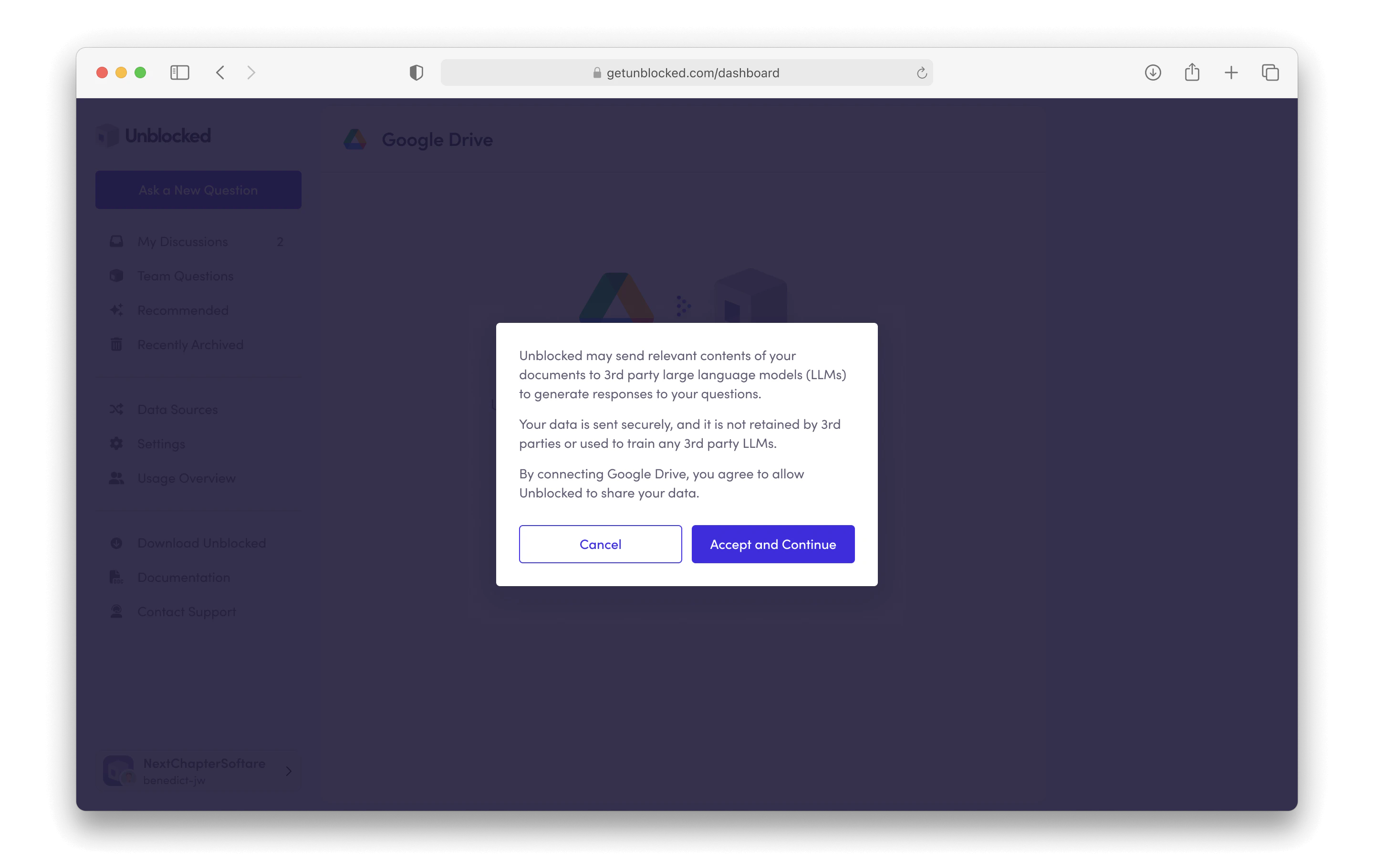 Once you click **Accept and Continue**, you'll be redirected to Google Drive. Sign into your Google account and then authorize Unblocked to access your Google Drive files.
After granting Unblocked access, you'll be redirected back to Unblocked. Here, you can choose the files, folders, and shared drives you want Unblocked to reference as it answers your questions.
Once you click **Accept and Continue**, you'll be redirected to Google Drive. Sign into your Google account and then authorize Unblocked to access your Google Drive files.
After granting Unblocked access, you'll be redirected back to Unblocked. Here, you can choose the files, folders, and shared drives you want Unblocked to reference as it answers your questions.
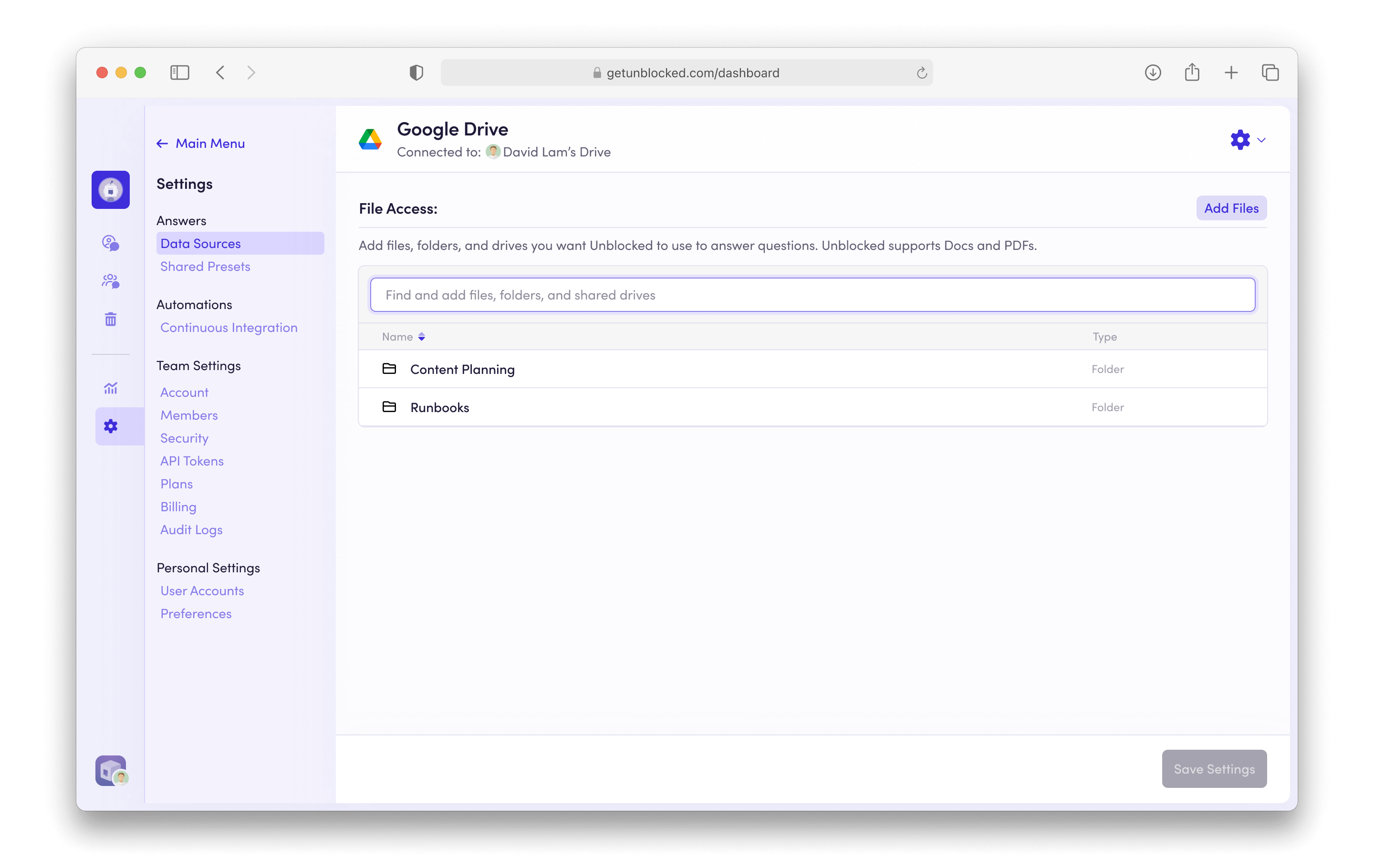 Unblocked displays who connected Google Drive for your team on the data
sources page, as this user is the only one who can add additional files from
Google Drive. Any Admin can remove connected files.
After you've selected all the folders and files you want Unblocked to reference, click **Save Settings**. Unblocked will begin using these resources to answer your team’s questions.
### Exclude folders
To exclude specific folders (and their contents) from ingestion, or to remove documents already ingested from a folder, [contact us](https://getunblocked.com/dashboard?showIntercom=true).
Unblocked displays who connected Google Drive for your team on the data
sources page, as this user is the only one who can add additional files from
Google Drive. Any Admin can remove connected files.
After you've selected all the folders and files you want Unblocked to reference, click **Save Settings**. Unblocked will begin using these resources to answer your team’s questions.
### Exclude folders
To exclude specific folders (and their contents) from ingestion, or to remove documents already ingested from a folder, [contact us](https://getunblocked.com/dashboard?showIntercom=true).