Data sync
Unblocked checks Confluence for new and updated pages every 15 minutes, so edits typically appear in answers within minutes.Connect your Confluence Site
If your organization has Data Shield enabled,
we strongly recommend having a Confluence admin connect your site. Doing so
will ensure that Unblocked has the ability to sync Confluence identities,
removing the need for users to manually connect their account to receive
answers containing Confluence references.
Sign in to Unblocked
Whether you sign in with a source code manager or your SSO provider, you first need to authenticate to Unblocked. Once you’ve signed in, click Settings in the sidebar, then Data Sources. Click Connect Another, scroll to the documentation section, and select Confluence. You’ll then be redirected to Confluence and asked to authorize your account with Unblocked.
Connecting Confluence
Once you grant Unblocked access to your Confluence site, you’ll be redirected back to Unblocked and prompted to install the Unblocked for Confluence app if you are a Confluence admin.
Selecting your Spaces
You have the option to grant access to specific spaces for Unblocked to index and search. You will be best served by granting access to all spaces, but you can always restrict the scope depending on your team’s needs. Using Data Shield, you can also set access permissions that determine which content in your Confluence spaces will be used in Unblocked’s answers.
Troubleshooting
Unable to Connect Unblocked
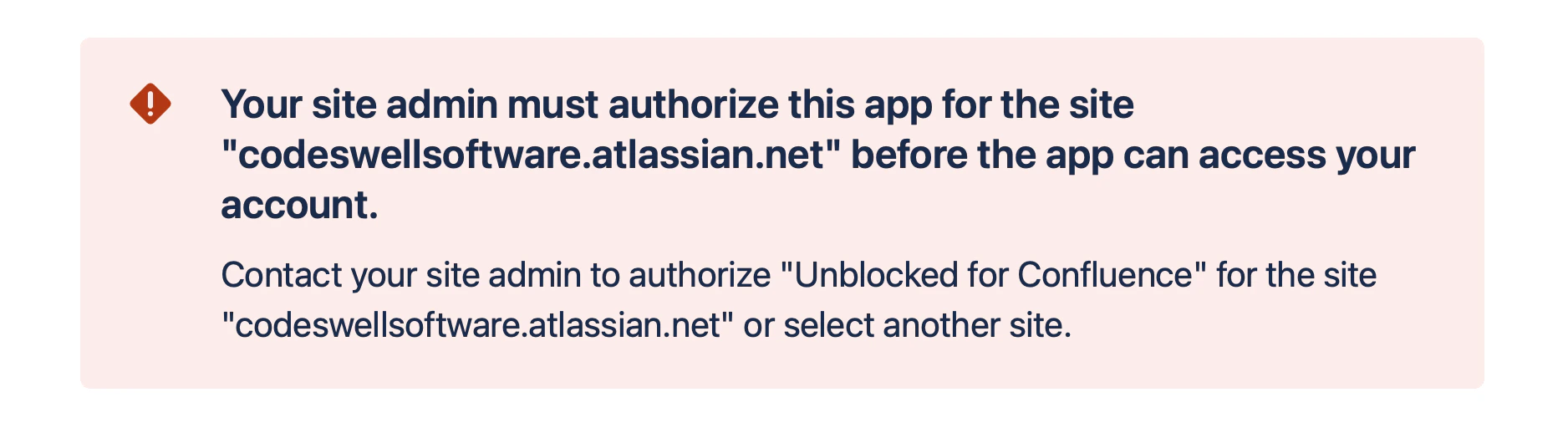
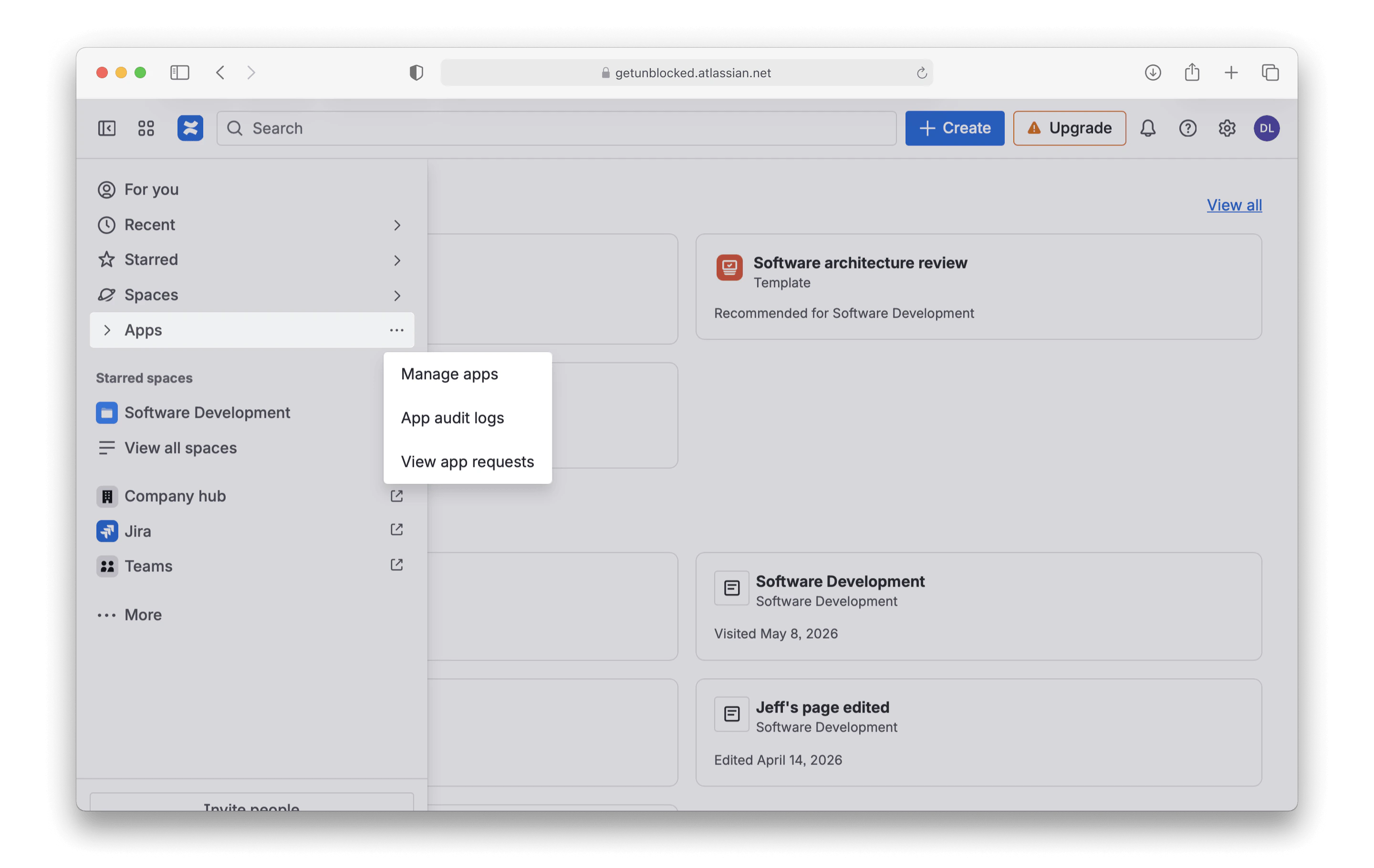
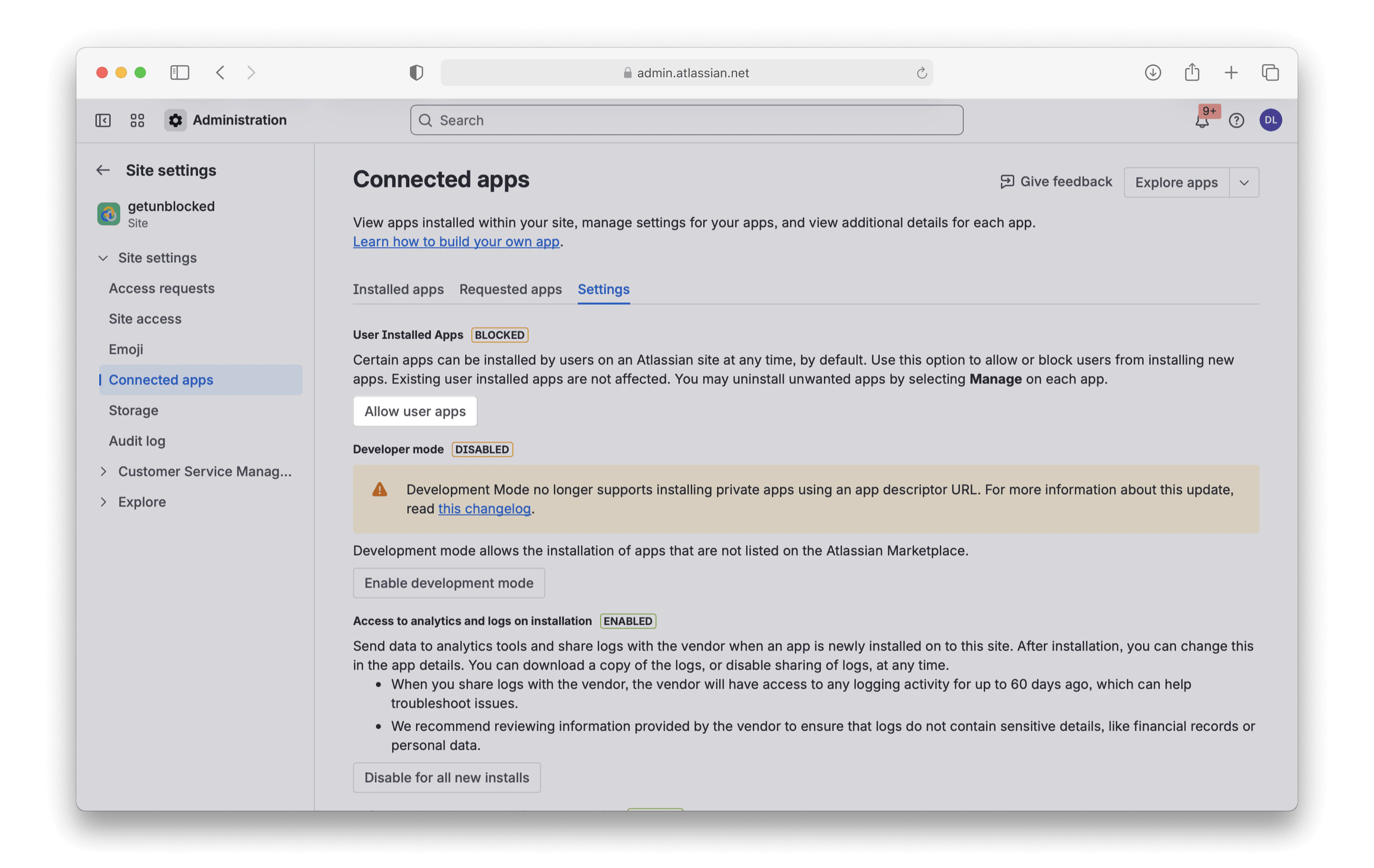
If you see the following error message, it means user installed apps have been blocked for your site. To work around this, ask your Confluence Admin to log in to Unblocked and connect your Confluence Site.