You can install Unblocked MCP into other MCP clients through the following methods.
The exact details for how you configure your MCP client can vary widely. Contact Us if you need help with this.Using Amp? Follow the Amp install guide.
Then configure your MCP client with the following local MCP parameters:
Method: stdio
Command: ~/.local/bin/unblocked
Arguments: mcp --autoupdate
Replace ~ with the full path to your home directory if your MCP client does not support tilde expansion, for example /Users/<username>/.local/bin/unblocked.
Remote MCP
You can connect to the Unblocked MCP server remotely, without installing any local applications.
Some MCP clients support connecting via the HTTP+SSE transport mechanism — this may be listed as ‘HTTP+SSE’ or simply ‘SSE’.HTTP+SSE has been deprecated in the MCP specification in favour of streamable HTTP and is not supported by Unblocked MCP. If your client provides an option for the transport mechanism, select ‘HTTP’.
OAuth
You can install Unblocked MCP via OAuth at the following URL:
https://getunblocked.com/api/mcpsse
The MCP client will authenticate with Unblocked via OAuth.
Token-based
Personal Access Token
Team Access Token
1
Create the API Token
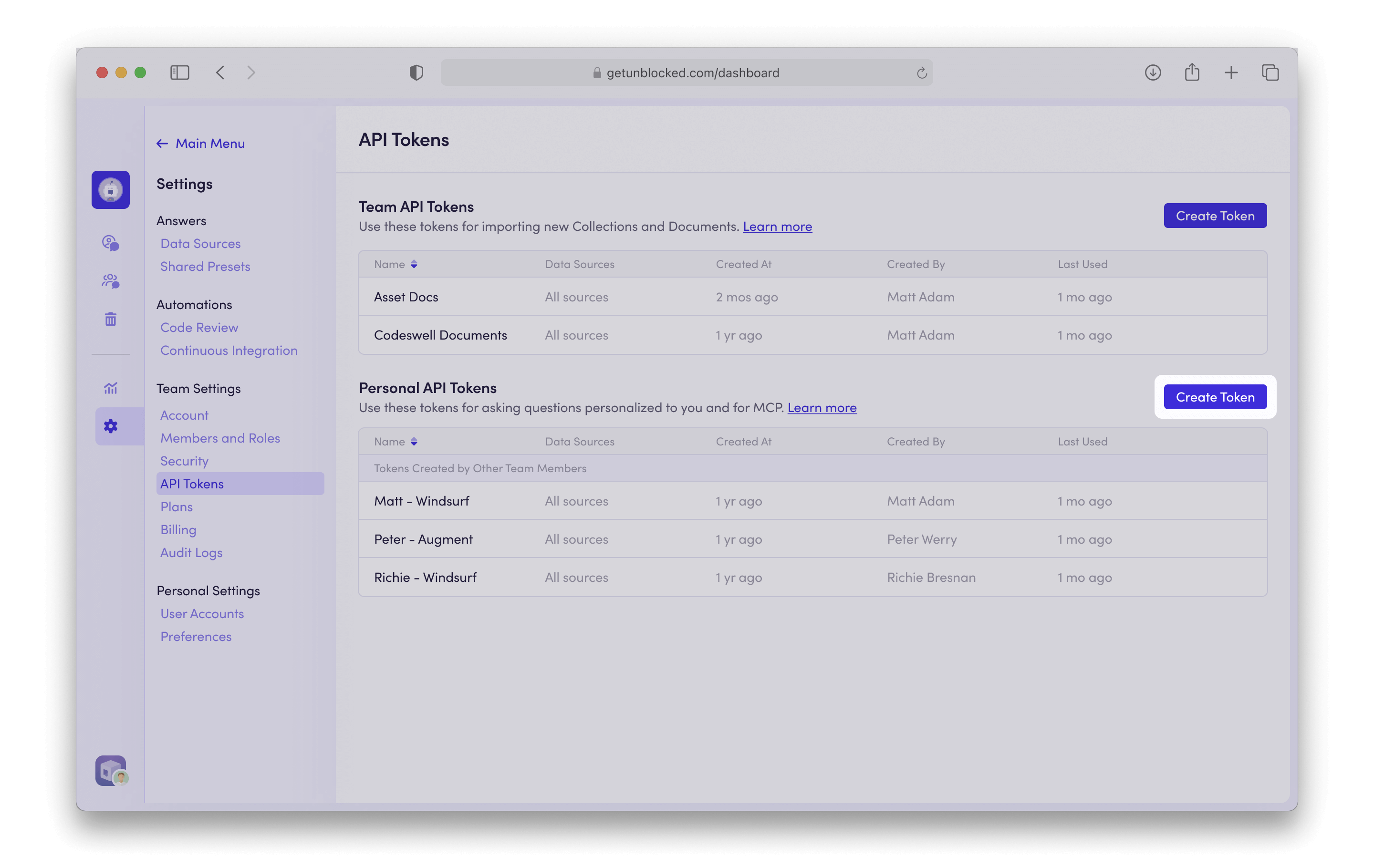
In the Unblocked web app, click on Settings —> API Tokens.In the Personal API Tokens section, click on Create Token.
2
Configure the API Token
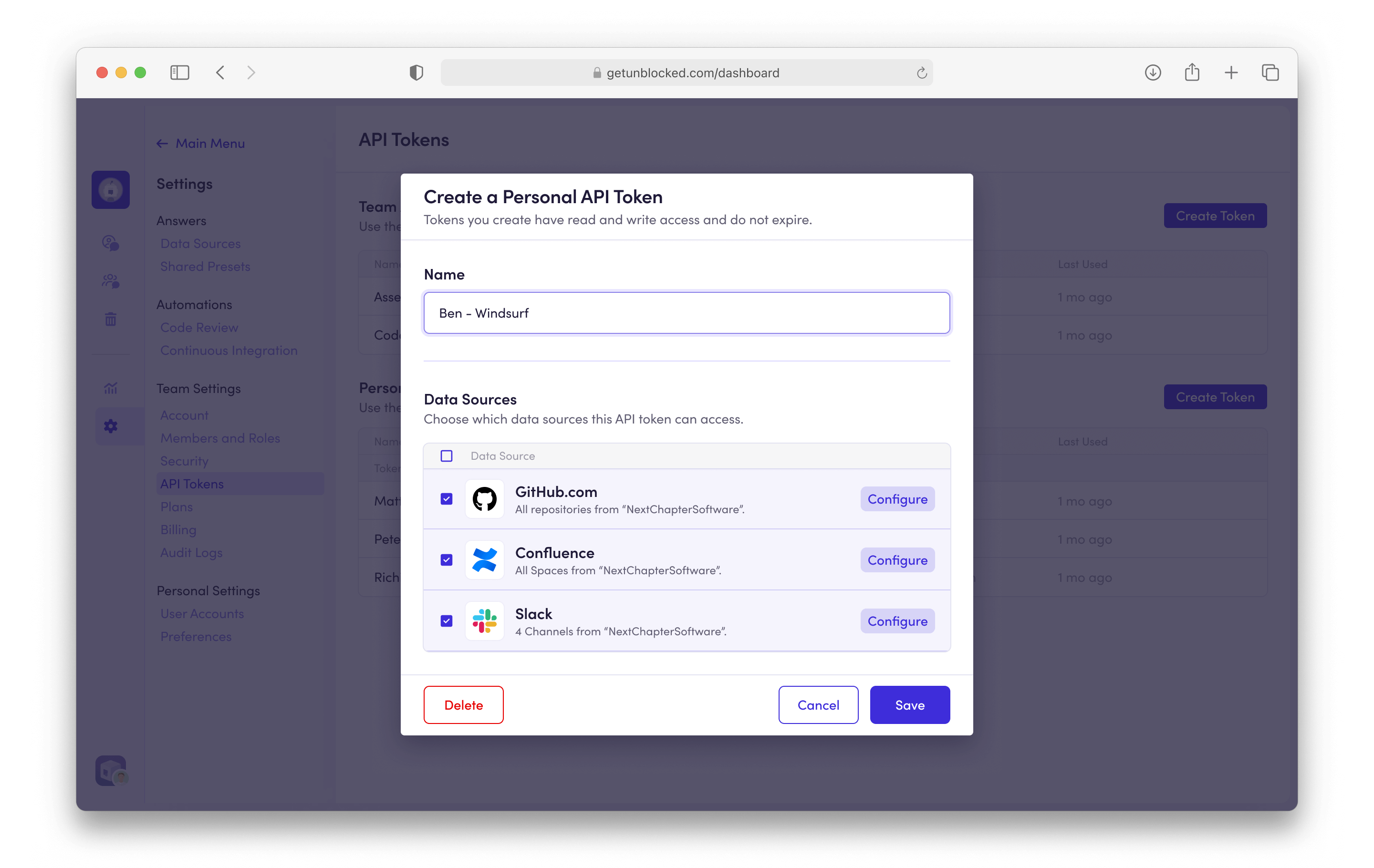
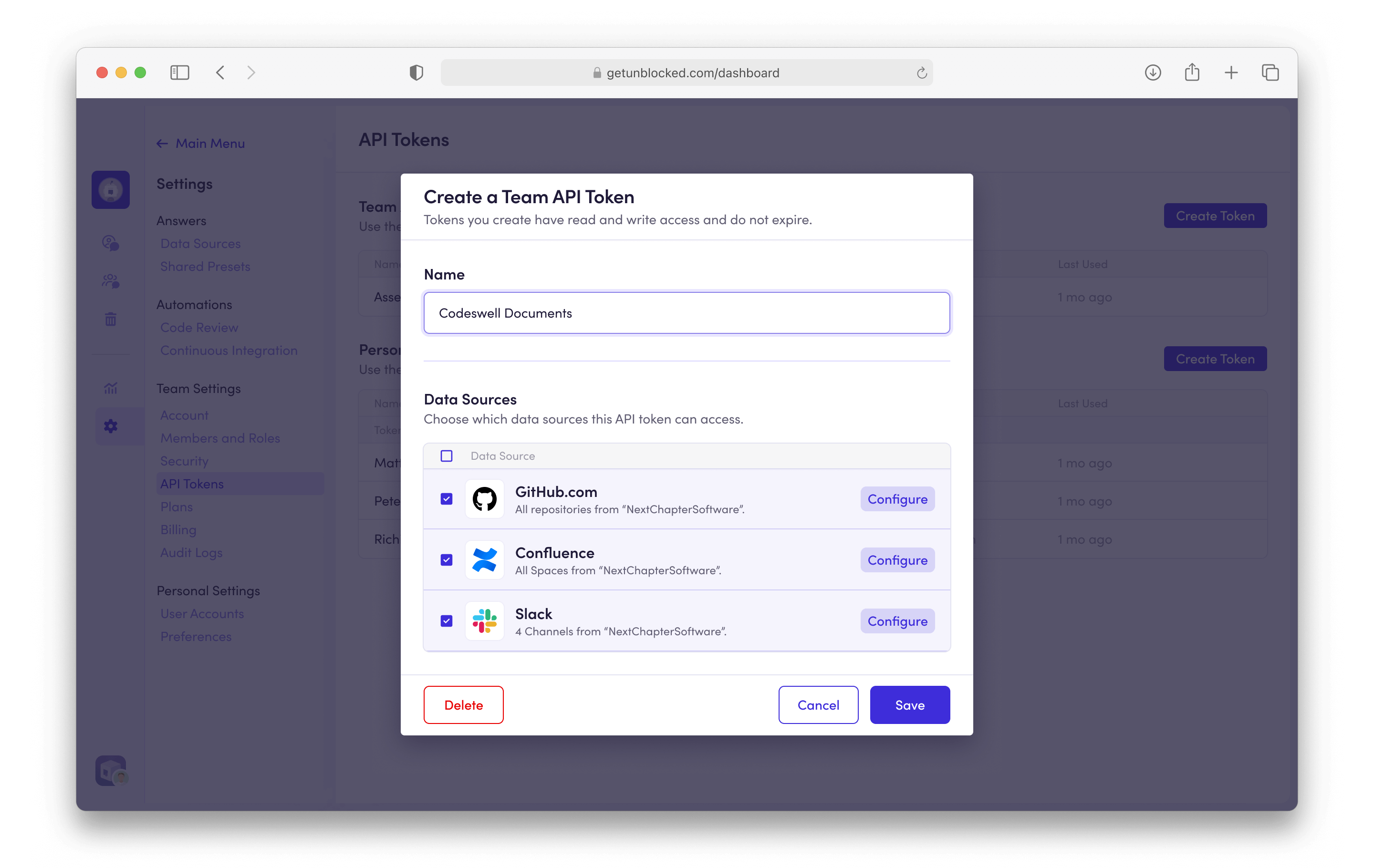
Fill out the token name. You can also limit the data sources that the token will have access to in the list under Data Sources.
3
Copy the API Token
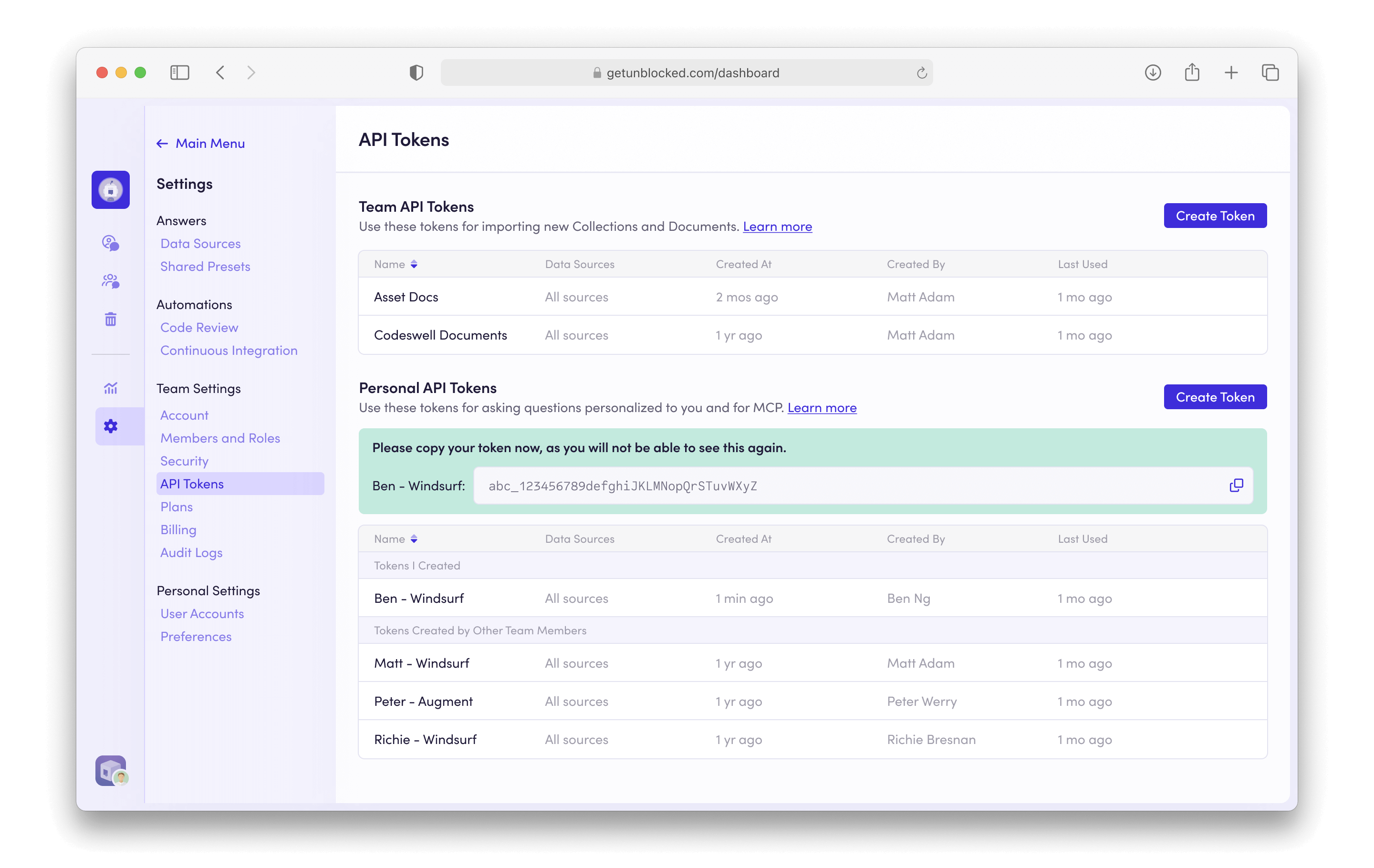
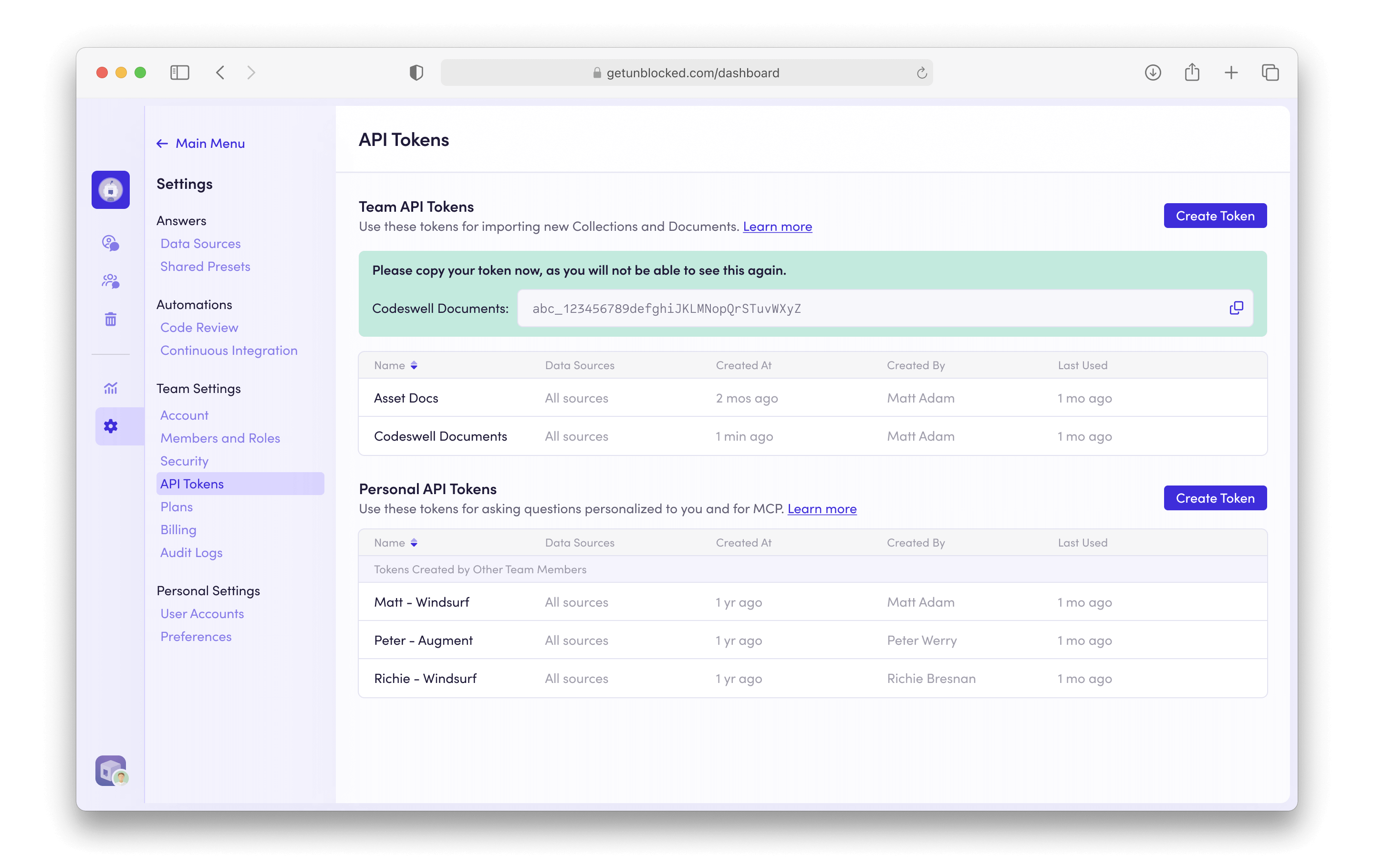
Copy the resulting API token.
4
Install Unblocked MCP
You can install the tools into your MCP client with the following parameters:
URL: https://getunblocked.com/api/mcpsse
Header: Authorization: Bearer unb_token
Be sure to replace unb_token with the token you generated above.
This connection method uses a Team Access Token. It can access every document in the data sources selected when the token is created. Select only the data sources this integration needs because MCP queries can return their content.
1
Create the API Token
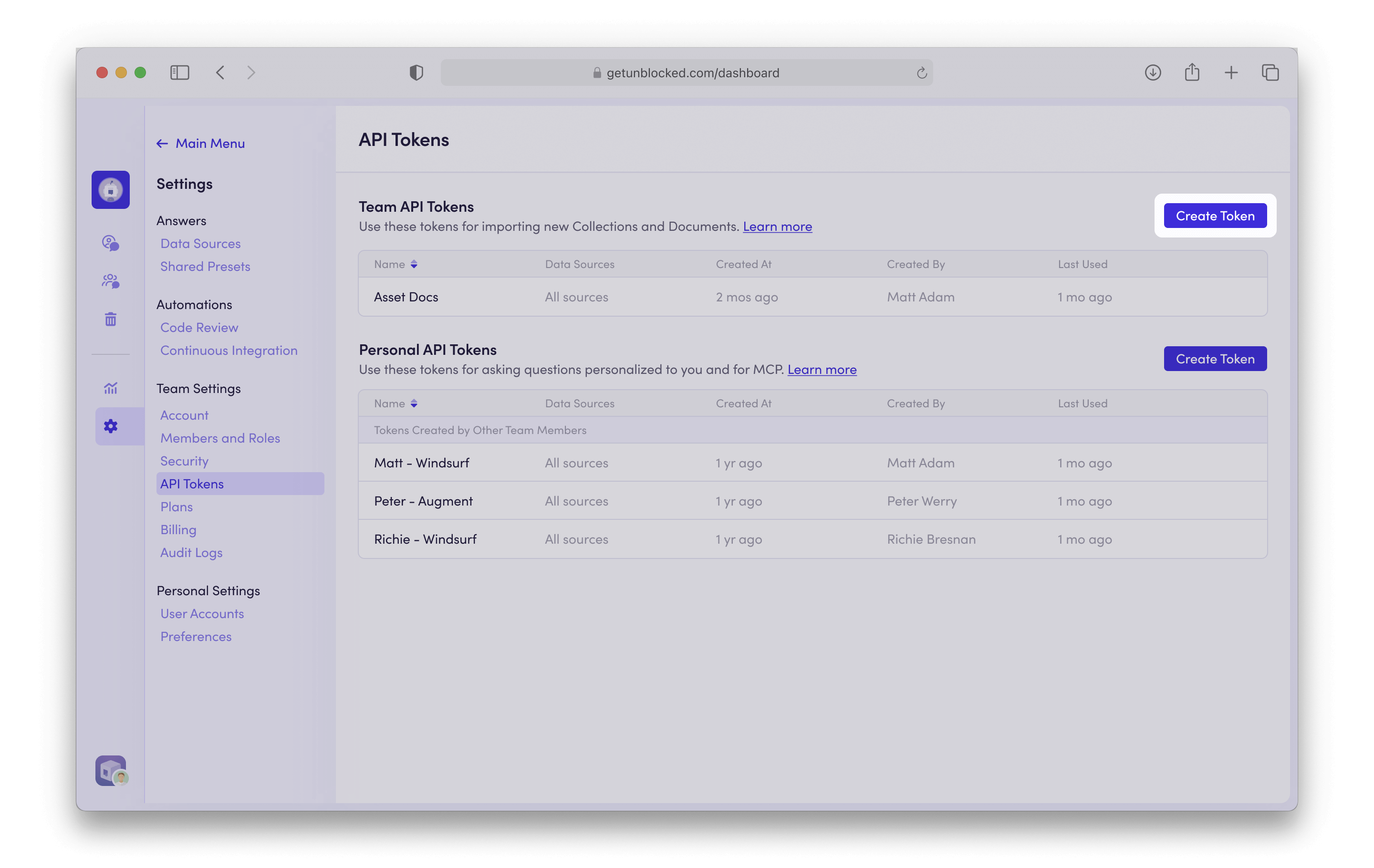
In the Unblocked web app, click on Settings —> API Tokens.In the Team API Tokens section, click on Create Token.
2
Configure the API Token
Fill out the token name. You can also limit the data sources that the token will have access to in the list under Data Sources.
3
Copy the API Token
Copy the resulting API token.
4
Install Unblocked MCP
You can install the tools into your MCP client with the following parameters:
URL: https://getunblocked.com/api/mcpsse
Header: Authorization: Bearer unb_token
Be sure to replace unb_token with the token you generated above.
Assistant
Responses are generated using AI and may contain mistakes.